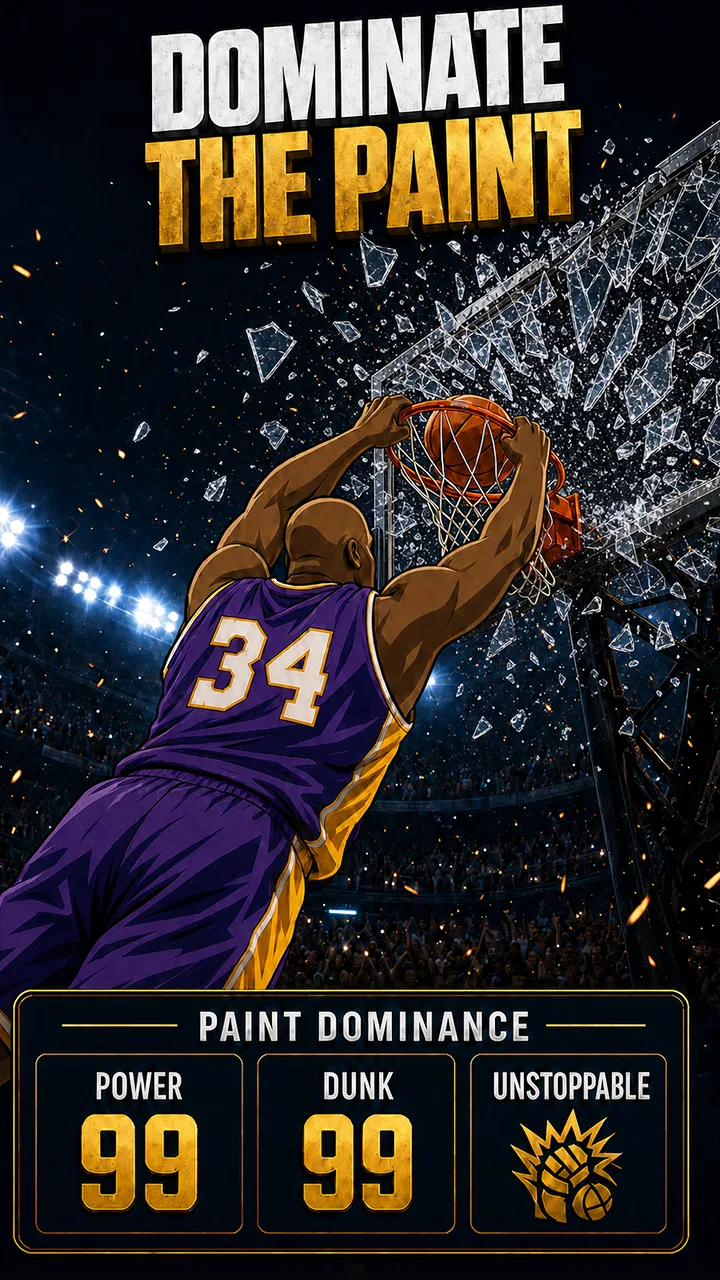
Star Rising: Basketball
- 4.8
- Rating
- 500.00K
- Installs
- Free
- Price

 Analysis by App-foxy
I went into Star Rising: Basketball expecting a quick sports game and found something more focused on the journey of a basketball player than on simply playing isolated matches. Its central appeal is the idea of guiding a rising athlete from college toward the Hall of Fame and the World Cup. That gives each session a sense of direction, even when I only have a few minutes to play.
It is a free sports game from Rising Star Sports Studio, rated for Everyone. The game has reached more than 500 thousand installs and holds an average rating of 4.8 from roughly 34 thousand ratings, which suggests that its straightforward career fantasy connects with a broad audience. I would describe it as a good fit for players who enjoy progression, sports themes, and the feeling of building a legacy over time rather than looking for a full console-style basketball simulation.
Getting started without unnecessary frustration
The first thing I would tell a new player is not to rush through the opening screens. Games built around a long career path often introduce several connected parts at once, and it is easy to tap through instructions before understanding what the game expects from you. I found it more useful to pause briefly, identify the main objective, and then complete the first available activity before worrying about the larger Hall of Fame or World Cup ambitions.
You May Also Like

 Blood Strike: 2.5 Anniversary
Blood Strike’s Loadouts Turn Every Drop Into a Tactical Gamble
A close look at Blood Strike’s custom loadouts: how fast access to signature weapons reshapes its battle royale rhythm, rewards preparation, and narrows the gap between fights.

 Pandora - Music & Podcasts
Pandora’s Music Is Easy to Start, but Harder to Recover
Pandora’s strength is its low-effort path from a seed to a station. Its weak spot is how much confidence it asks you to place in connection, setup, and quiet recovery.

 8 Ball Pool
 Is Built on Rivalries, Rematches, and Routine
A close look at the rivalries, rematches, shared routines, and unanswered safety questions that turn a quick pool match into a persistent mobile community.

 Samsung Music
’s Quiet Strength Is Playing What You Already Own
Its reach comes less from spectacle than from dependable access to a personal library. That simplicity is both the app’s strongest retention engine and its ceiling.

 AccuWeather: Weather Radar
AccuWeather Review: A Quick, Clear Forecast for Everyday Decisions
For everyday plans, the best forecast is the one you can understand quickly. AccuWeather makes rain timing, radar, and local conditions easy to act on, with a few trade-offs.

 Hill Climb Racing
Why Hill Climb Racing Still Turns Crashes Into One More Run
A tiny car, a bumpy hill and one more upgrade: Hill Climb Racing keeps resurfacing because its simple chaos makes every near-miss feel personal.
More From Our News Desk



Because the game is free, the initial decision is simple: install it and try the opening progression without paying. The current version is 1.6.3, and it supports devices running Android 7.1 or later. That makes compatibility fairly broad, although a supported operating system does not automatically guarantee a smooth experience on every phone. Older hardware may still struggle with loading, storage pressure, or background interruptions even when the operating system meets the requirement.
My practical setup advice is to begin with a stable connection, enough free storage, and other demanding apps closed in the background. These are ordinary checks, but they matter more than people expect when a game appears to freeze during its first launch. If the game opens normally after a second attempt, the problem may have been temporary rather than a defect in the basketball experience itself.
I would also avoid making an in-app purchase immediately. The game is free to start, while optional items range from around two dollars to as much as one hundred dollars per item. That is a wide span, so I would first learn how the progression feels without spending money. A player who understands the normal rhythm can make a much better decision later than someone who pays simply because the first section feels slow.
Where players are most likely to get stuck
The biggest likely point of confusion is understanding what to prioritize in a career that reaches from college to major international goals. A new player may expect every screen to be a direct basketball match, while the game’s larger structure may ask for attention to progression as well. My advice is to treat early activities as orientation. Watch how the game connects an action to the next objective instead of trying to optimize everything from the first minute.
Another common stumbling block is losing track of the current goal after leaving the game. If you return later and are unsure what to do, do not immediately assume that progress has disappeared. Check the visible career objective, return to the most recently available activity, and complete one clear action. In progression games, the interface can feel less confusing once you re-establish the last step you completed.
Short sessions work particularly well here. For example, I can imagine playing during a commute or while waiting for an appointment: open the game, review the current career task, finish one piece of progress, and stop. That approach is less tiring than trying to force a long session, and it reduces the chance of forgetting where I was in the journey.
The game is also not the ideal choice for someone who wants highly detailed team management, deep tactical controls, or a realistic simulation of professional basketball. Its appeal is the rising-player story and the destination attached to it. If your favorite part of a sports title is controlling every possession with precise manual input, a more simulation-oriented basketball game may suit you better.
Simple checks when launch or progress feels wrong
If the game does not start correctly, I would use a calm sequence rather than repeatedly tapping the icon. First, close it completely and reopen it. Next, check that the phone is not nearly full and that the operating system meets the Android 7.1 minimum. Then try again with a reliable connection and fewer apps running. These steps address the most ordinary causes of failed loading without changing anything important inside the game.
If the screen appears unresponsive, give it a moment before forcing the app closed. A slow transition can look like a frozen screen, especially on an older device. If the same point fails repeatedly, restarting the phone is a sensible next step. I would avoid deleting the game as an early reaction, because reinstalling can create extra work and may put local progress at risk depending on how the game handles saved data.
A useful habit is to note exactly where the problem occurs. “It does not work” is difficult to diagnose, while “it closes when I return to the career screen” gives you a much clearer pattern. The distinction matters because a launch issue, an interrupted session, and a progression issue are not necessarily the same problem.
When an activity seems unavailable, I would first check whether the preceding objective has actually been completed. Career games sometimes make the next step look obvious even when a small requirement remains. Replaying the last visible task or revisiting the current objective can clarify whether the issue is a technical failure or simply unfinished progression.
Recovering a session without making the problem worse
Unexpected interruptions are especially annoying in a game built around a long personal journey. If the app closes during play, reopen it and look for the last confirmed point of progress. I would not assume that every action was saved, nor would I immediately repeat a long sequence several times. Start with the most recent clearly completed objective and move forward once, watching for whether the game responds normally.
If progress appears to be behind where you expected, compare the current career position with what you remember completing. This helps separate a visual refresh problem from a genuine lost step. In either case, patience is better than rapidly purchasing something or reinstalling the app. Spending money cannot reliably repair a connection or loading problem, and reinstalling should be considered only after simpler checks have failed.
For players who switch between devices, I would be cautious about assuming that progress will automatically follow them. Before changing phones or removing the game, make sure you understand how your progress is retained in your particular setup. I would rather spend a minute checking the available account or save options than discover later that a carefully built career has to be started again.
The same principle applies to purchases. Since optional items can be expensive at the upper end, keep a record of what you intended to buy and verify that the transaction has completed before trying again. If a purchase appears delayed, repeating the payment immediately could create confusion. Close and reopen the game, check the relevant screen again, and use the platform’s normal purchase support route if the item still does not appear.
These are not glamorous tips, but they are the kind that protect the experience. A career game is enjoyable when the player feels in control of the journey. Rushing during a technical hiccup can turn a small interruption into a larger one.
When the game is not actually the cause
It is easy to blame the app when a phone is overloaded, a connection is unstable, or another process is interrupting the session. If other games and streaming apps are also slow, the issue probably deserves attention at the device or network level first. Restarting the phone, moving to a stronger connection, and closing background apps can tell you more than repeatedly reinstalling one title.
Battery-saving settings can also affect how a game behaves after you leave it for a while. If the problem happens mainly when returning from another app, test a short session with fewer interruptions. That does not prove a specific cause, but it helps identify whether the failure is tied to the phone’s handling of background activity rather than to the basketball game itself.
Storage is another overlooked factor. A phone can still install an app while having too little comfortable working space for smooth updates and temporary files. If loading becomes unreliable after several new apps, photos, or videos have been added, freeing space is a reasonable check. This is particularly important on older devices that already have limited room.
Age is worth considering too. The Everyone rating makes the game approachable for a wide audience, but younger players may still need guidance around optional purchases. The free entry point is helpful, yet the available purchase range means I would use the device’s normal purchase protections and agree on spending rules before handing the phone to a child.
How it compares with ordinary basketball alternatives
Compared with a traditional basketball simulation, Star Rising: Basketball is easier to approach if your main interest is the player’s rise. You do not need to begin with a detailed understanding of every team, tactic, or professional roster to appreciate the premise. The college-to-World-Cup path gives casual players a clear narrative direction, while the Hall of Fame goal adds a longer-term reason to return.
Compared with a basic arcade basketball game, it offers a more persistent sense of purpose. An arcade title can be better when I want instant action with no commitment. This game is more appealing when I want each session to contribute to a larger career. That difference is important: the game’s strength is not necessarily maximum realism or the fastest possible match, but the feeling that small steps belong to one extended story.
It also sits between a completely free casual game and a purchase-driven progression experience. I can begin without paying, which lowers the barrier to trying it, but the optional purchase range means I would keep an eye on spending. Players who dislike any form of monetized progression may feel more comfortable with a paid game that offers its content upfront. Players who prefer to test a game first may appreciate the free starting point.
The large audience around it is reassuring, but I would not treat popularity as a guarantee that it matches every player’s taste. The high average rating and more than 34 thousand ratings show strong reception, while the roughly 699 written reviews provide additional evidence that people are engaging with it beyond a single download. Still, the right choice depends on whether you enjoy a guided basketball career more than open-ended simulation.
Who will get the most from the career format
I would recommend this game to someone who likes sports stories, gradual improvement, and goals that stretch beyond one match. It is especially suitable for casual players who want a basketball theme without committing to a complicated management system. The World Cup and Hall of Fame destinations give the journey a recognizable shape, so it is easy to understand why continuing matters.
It can also work well for families because of its Everyone rating, provided an adult handles purchase expectations sensibly. A child may enjoy the idea of becoming a basketball star, while an older player may appreciate the longer progression. The best shared approach is to discuss what the current objective means and avoid treating optional purchases as necessary simply because they are visible.
I would skip it if you want a fully authentic basketball simulation, a large multiplayer focus, or complete control over every tactical detail. I would also skip it if you dislike career progression and prefer games that deliver the same experience immediately every time they open. The game’s identity depends on moving forward, so that structure will feel motivating to one player and restrictive to another.
One of my favorite practical ways to use it would be as a short-session game with a defined stopping point. I would open it, identify the next career task, complete that task, and stop before the session becomes aimless. This makes the long journey feel manageable and avoids the pressure to reach the biggest goals in one sitting.
My practical verdict
Star Rising: Basketball succeeds because it gives a simple sports-game idea a clear destination. Guiding a player from college toward the Hall of Fame and the World Cup is more motivating than playing disconnected rounds with no sense of history. I found that structure easy to understand, friendly to short sessions, and more memorable than a purely repetitive arcade loop.
Its limitations are equally clear. It is not the right replacement for a detailed basketball simulator, and the presence of optional purchases means I would approach the free-to-play model thoughtfully. Setup and recovery problems may also be mistaken for game defects when the real cause is storage, connection quality, background activity, or an interrupted save.
The game was released on June 5, 2024, and its current version is 1.6.3. Those details matter mainly because they help players identify the title and check compatibility before installing. My recommendation is to try the free version, learn the normal progression first, and use the troubleshooting habits above if a session behaves strangely.
For me, the deciding question is simple: do you want to build a basketball career, or do you want to simulate every possession? If the first answer sounds more appealing, Star Rising: Basketball is worth trying. I would install it for the guided rise, keep sessions focused on one objective, and spend only after deciding that the journey itself is enjoyable.
FAQs for Star Rising: Basketball
01What is the main objective of Star Rising: Basketball?
Star Rising: Basketball is a sports simulation game where players aim to build and manage their own basketball team. The main objective is to train your players, participate in matches, and win championships. Users can experience the thrill of managing team dynamics and strategizing game plans to rise to the top.
02Is Star Rising: Basketball available for both Android and iOS?
Yes, Star Rising: Basketball is available for download on both Android and iOS platforms. The game can be found on the Google Play Store for Android users and the Apple App Store for iOS users. Ensure your device meets the minimum requirements for optimal gameplay experience.
03Are there in-app purchases in Star Rising: Basketball?
Star Rising: Basketball offers in-app purchases to enhance the gaming experience. Players can buy virtual currency to unlock premium features, purchase new players, and speed up training sessions. While the game is free to play, these optional purchases can provide a competitive edge in gameplay.
04Does Star Rising: Basketball require an internet connection?
An internet connection is required to access all features of Star Rising: Basketball. While some basic functionalities can be explored offline, features like multiplayer matches, leaderboards, and real-time events need an active internet connection to function properly.
05How does player progression work in Star Rising: Basketball?
Player progression in Star Rising: Basketball involves training your team members to improve their skills and abilities. Through successful matches and dedicated training, players can level up, unlocking new skills and team strategies. The game rewards consistent play and strategic management for team development.
Pros
- Intuitive controls for easy gameplay.
- Stunning graphics enhance immersion.
- Wide range of customizations available.
- Regular updates with new features.
- Engaging multiplayer mode.
Cons
- Occasional in-app purchase prompts.
- Requires a stable internet connection.
- Some levels feel repetitive.
- Battery consumption can be high.
- Ads can interrupt gameplay.

Star Rising: Basketball
Gallery